 Day One Fixes
SolvedFixUpdated
Monster Hunter Wilds: Optimize Without Compromise - 3070 8GB VRAM @ 1440p
Short answer
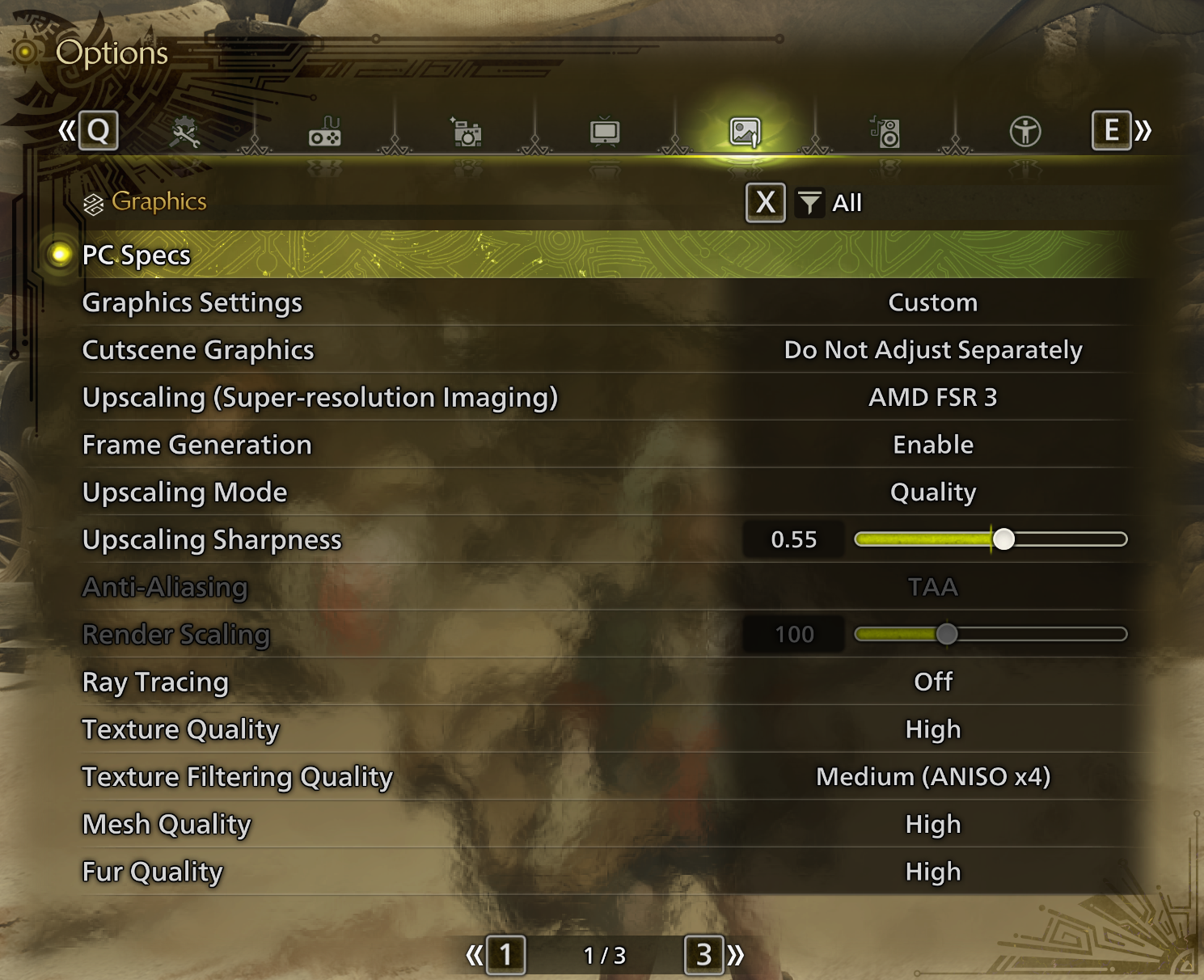
Shout-out to MH Fans with ageing systems & 30 series cards out there. If just like me you booted the game to some initial performance issues, I hope this quick setting guide serves you well. This is how I have comfortably achieved 80 to 100 FPS @ 2K resolutions without major compromises on quality…
Steam Community guide by ntx.
Display & Graphic Settings
I will make no promises, but this has made my game feel a lot more playable than it initially was.
I make no claim to providing the best, or most sensible solution, but hope this helps make the game smoother for you as well.
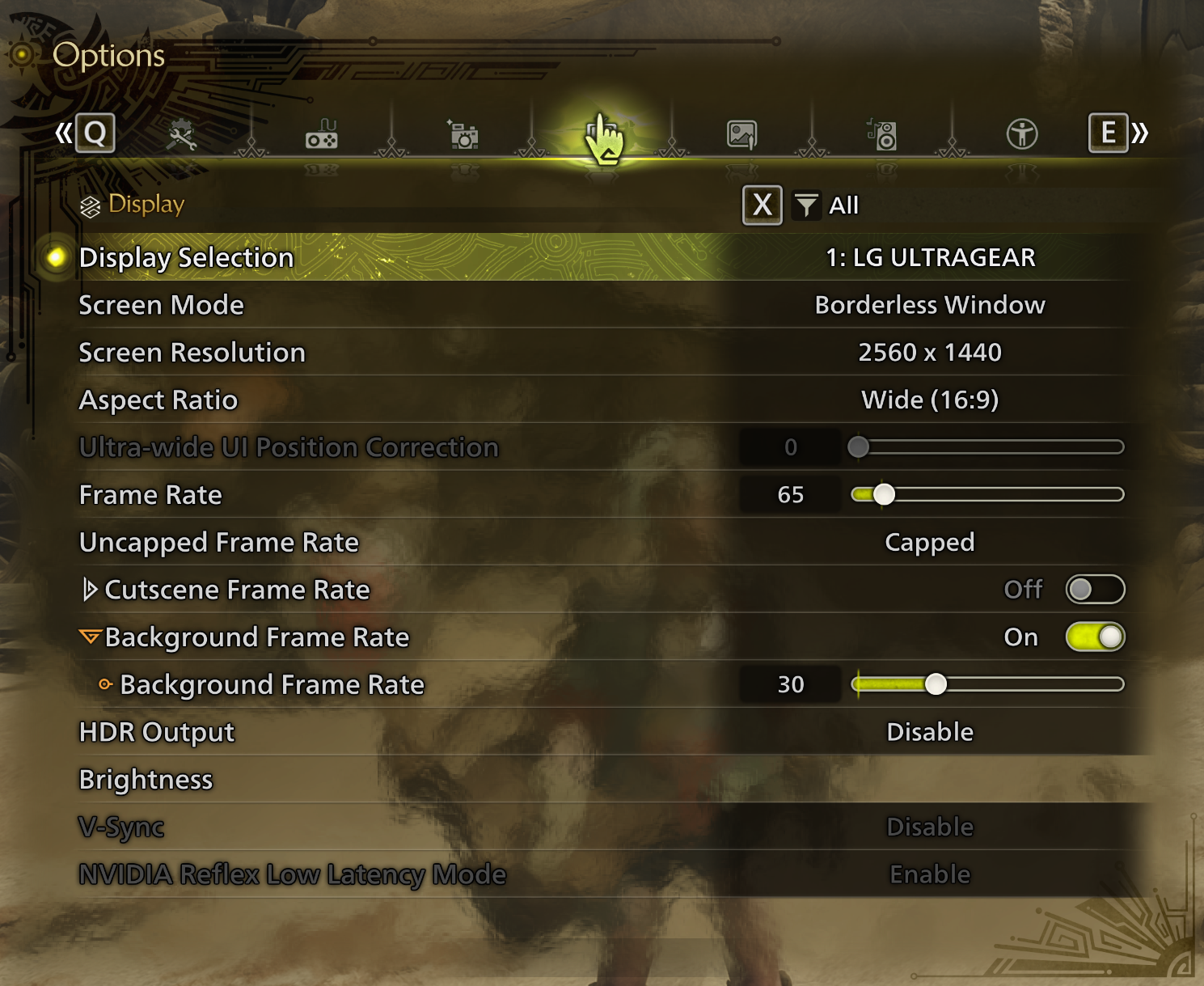
You will notice I am playing at 1440p with HDR & VSync disabled.
I have capped my raster FPS to 65.
Framegen can exceed this cap.
Display Settings
Graphic Settings
Switching from DLSS to AMD FSR 3 with Frame Generation Enabled is by far the biggest enabler I have found.
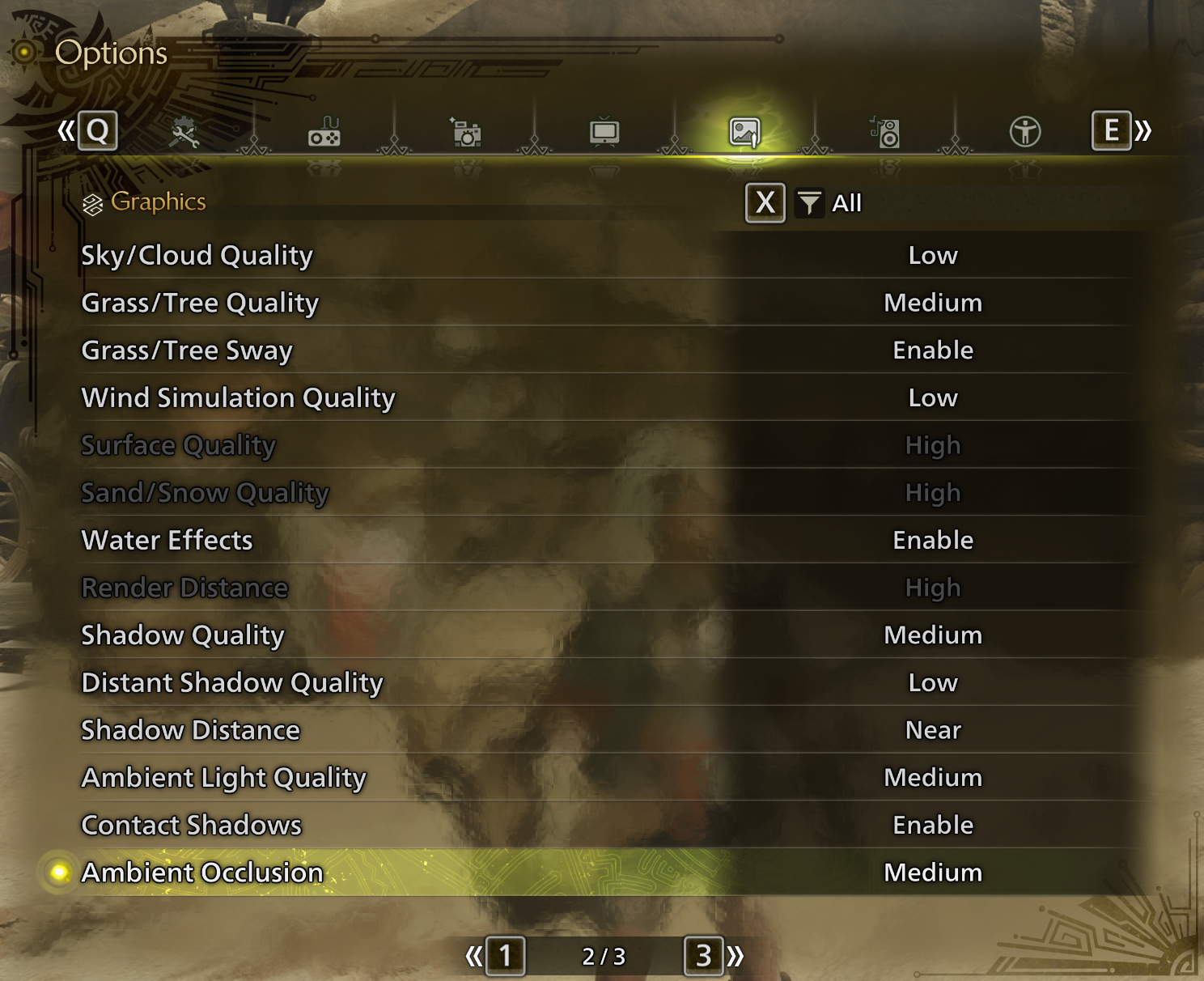
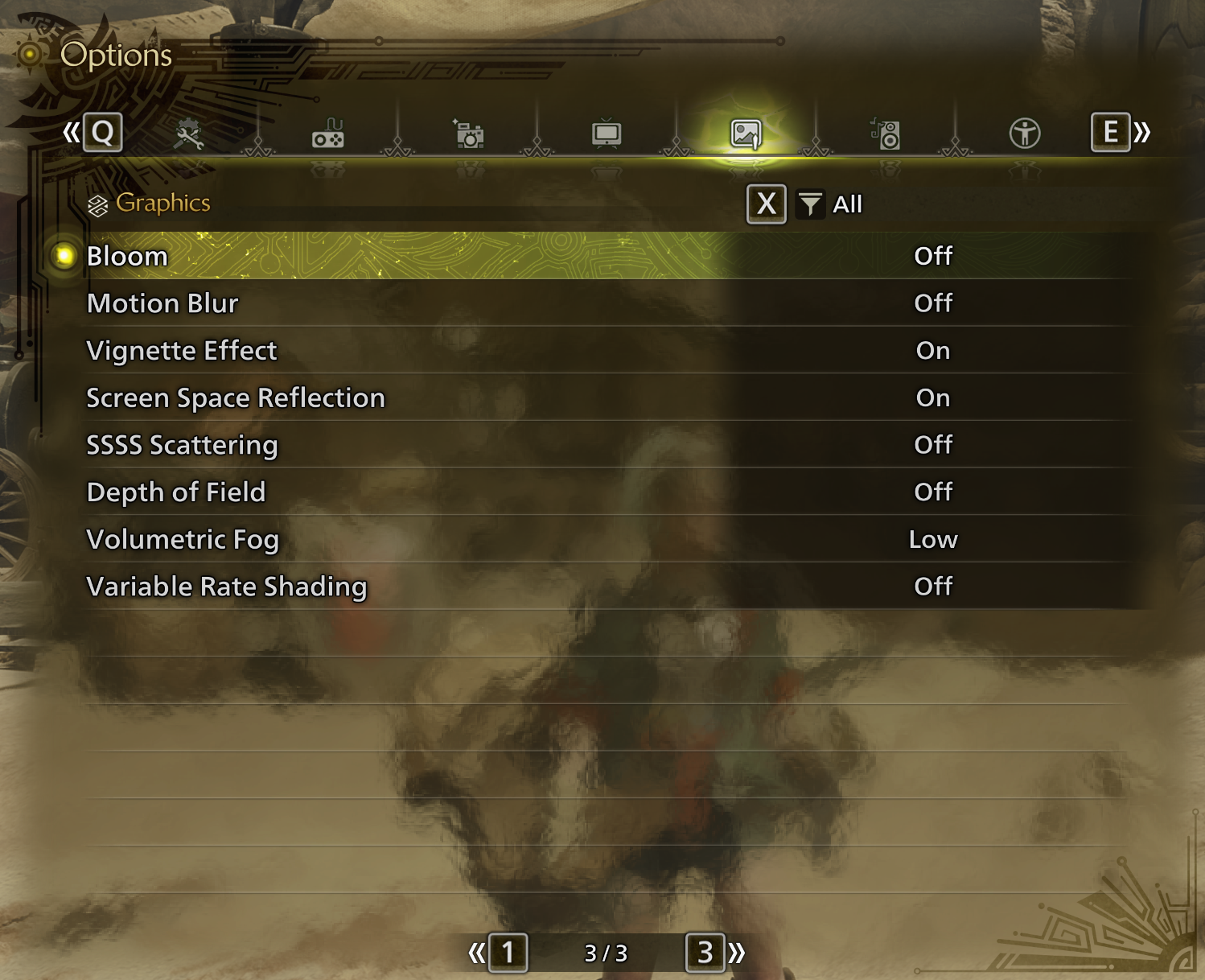
These are the Graphic Settings I'm currently using, they're up to your preference.
I encourage you experiment and to reboot your game once you have applied settings you are satisfied with, and intend to keep.
Happy Hunting,
ntx.