Day One Fixes
SolvedHow-toUpdated
MECCHA CHAMELEON: 🎨 Paint & Material Guide
Short answer
Good camouflage isn't about copying colors. It's about matching color, material and shape. A perfect color with the wrong material will still stand out.
Steam Community guide by 𝔗𝔢𝔞𝔪ℜ𝔢𝔪.
📌 Camouflage = 3 Things
🎨 Color
✨ Material
👤 Silhouette
Effective camouflage depends on matching color, material, and silhouette. If any of these don't blend with the environment, it's much easier to spot.
🎯 Don't Trust the Eyedropper
🎨 Eyedropper Tip
The eyedropper doesn't always copy the full material. Sometimes it only copies the base color and may not copy:
❌ Metallic
❌ Roughness
Adjust them manually if needed.
✨ Material Guide
✨ Metallic🌫 Roughness⬇️ Low (0%)⬇️ Low (0–20%)🪵 Wood
🧱 Concrete
🧴 Plastic
🧵 Cloth🪞 Mirror
💧 Wet
✨ Glossy
🧼 Polished⬆️ High (100%)⬆️ High (80–100%)🔩 Steel
⚪ Chrome
🟡 Gold
⚙️ Machinery🪨 Stone
🧱 Concrete
🌫 Dust
🎨 Matte💡 Wrong Metallic changes how "metal" it looks💡 Wrong Roughness is often easier to notice than a wrong color
🖤 True Black
Best for:
✔ Basements
✔ Vents
✔ Dark corners
RGB
0 0 0
Metallic
100%
Roughness
100%
🪞 Fake Chrome
RGB
220 220 220
Metallic
100%
Roughness
0%
💡 Paint Smarter
✅ Sample 3–5 nearby colors
✅ Paint big shapes first
✅ Rotate the camera often
✅ Check from a distance
✅ Match the lighting
❌ Don't paint pixel by pixel
💡 Shadow Tip
Don't automatically remove your shadow.
Sometimes it's better to keep it so it looks like part of the map.
Press V while painting to toggle your shadow and keep whichever version blends in better.
👤 Break Your Silhouette
Hunters see:
👤 Shape
✨ Reflections
💡 Brightness differences
...before colors.
Hide:
✔ Head
✔ Shoulders
✔ Knees
✔ Elbows
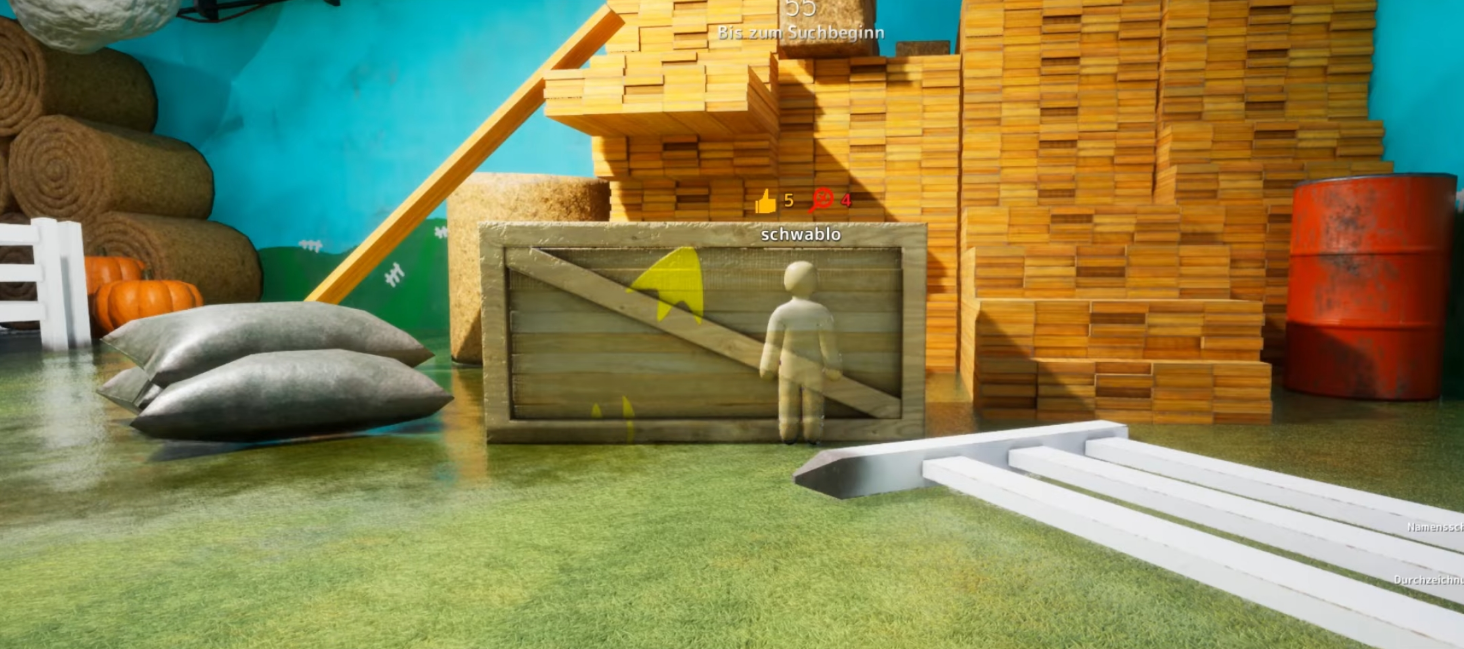
This is an almost perfect copy of the background (cheats), But the silhouette is still visible, so hiding your shape is very important..
🏆 Final Advice
Hunters don't look for bad paintings.
They look for things that don't belong.
If they hesitate for just one second...
🎉 Your camouflage worked.