 Day One Fixes
Known issueFixUpdated
No Asteroids - Stuttering, Lag, FPS Drop, Performance
Short answer
Players experience FPS drops and stuttering related to AMD GPUs, Linux Proton compatibility, and off-host co-op play with heavy weapons.
No Asteroids Beginners Guide
Quick Answer
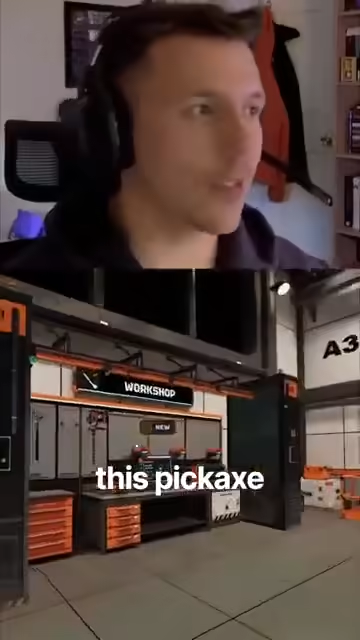
Um so, tip number one is you're going to start out with this pickaxe here over here. Go straight for the drill. Tip number two, max your air tanks out.
Tips for Beginners in No Asteroids
I recommend skipping the sledgehammer. Don't buy that. It's a lot easier to use.
I was able to breathe for about 30 20 seconds at the beginning. Now I can breathe for about three-ish minutes. And then tether as well gets you back to your ship without having to worry about running back to it.
If you're wondering where to increase your capacity for holding minerals, it's in the cargo hold on the ship is where you upgrade it.
No Asteroids: 10 Mistakes That WASTE Your Ore!
Laggy as Hell in the Ship
The Problem with FPS Drops
I don't understand why looking around makes my fps drop all over the place.
Vahnkiljoy, original post
I'm also experiencing laggynes, which wasn't present yesterday. The built in FPS counter from steam seems high enough, so I suspect the 1% lows are the problem. I also experiene lag on the astoroid.
Ra1d
Fix: Change Frame Limit and VSync Settings
Can you please in settings set frame limit to Max and let me know it it helps? Also try to turn off VSync
Unruled Games
Didn't help in my Case.
TDR Meatball
Causes and Upcoming Updates
are you by chance playing coop and you are not the host? I noticed there is some problem with the multiplayer that makes the endgame basically unplayable unless you are the host.
Lazyfred
Making a few optimizations to improve it a lot, will be in the next 1.0.4 update.
Unruled Games
Yup, AMD and single player.
Vahnkiljoy
Linux/Proton Support
The Problem
It just hung indefinitely at the first loading screen, I believe it said "Generating procedural asteroid," or just "Generating asteroid" no animations or anything.
GlitchHound, original post
The full game worked yesterday for me, today it gets stuck at the No Asteroid logo, in all proton versions i have tested.
Squid
Noticed that if i tab out and then back in to the game, mouse is not captured again, and it seems the game freezes.
Squid
Noticed, when i use the ESC menu, the game freezes for me
Squid
Fix 1: Proton Version
same, but the demo worked fine on linux so hopefully a fix is possible Edit: I got it working with Proton stable so it's probably an issue with the experimental branch of Proton
Bellerophon
I just got it started with Proton 10.0-4 on MXLinux
Squid
NVIDIA 5090 // Driver: 620.73.04 Works perfect .. no issues
BloodAEngel
Fix 2: Settings and Files
In Steam, open Properties → Compatibility for the demo and for the full game. If they use different Proton versions, set the full game to the one the demo uses. If it still stops, close the game and open steamapps/compatdata/5527800/pfx/drive_c/users/steamuser/AppData/Roaming/No Asteroids/.
If there is a file no-overlay.json, delete it. It is only a setting, it does not delete any save.
Unruled Games
Fix 3: Launch Options
- If it still stops, set the launch options of the full game to %command% --report and start it. The game does not open, only a small window that sends a report with the full game's logs.
Please post the code here, then remove the option.
Unruled Games
Lag Off Host Endgame
The Problem: Lag and Desync for Clients
The game started stuttering for me as the off host player, my hosts game was fine, my sys is a 3050ti Nv and a i5-10200 cpu, 24 gb ddr4ram. So far its happened when we have multiple collaspesar weapons, the missile launcher and the lancer. the game doesnt recover and I have to close or my character dies
ampsy, original post
After testing we think it has something to do with the off host client not loading the destruction in time so everything backs up causing lag
ampsy
I have the same problem, overall I'm offsync quite often.
Lazyfred
Late game weapons seem to desync or not register destruction for my wife and I.
Ness
we're seeing weird regrowth and desync between host and clients, it seems about 4x worse than it did prior to the small update Nov 25, but we are more destructive on day 35 than we were on day 25.
Archamedes
I'm getting a similar issue, we've completed the main asteroid, it was fine until near the very end of that, now onto our second it's laggy as hell, my mining doesn't take effect 70-80% of the time
TNDastardlyj
Causes: Weapons and Destruction Sync
My guess is that the game tries to sync up to many things and thats the problem but yeah idk.
Lazyfred
If only one of us is firing, it's fine, but when we both are shooting it won't work.
Ness
Stuttering on Decent Rig
The Problem: Stuttering on Asteroid and in Ship
playing the demo i got some pretty bad stuttering both on the asteroid and in the ship. even at a pretty high fps on high settings.
FusRoDAH1645, original post
Lags and stuttering on my system as well.
Legendaryshanker
Fix 1: Disable the Borderless Option
Can you please try to disable “borderless” option?
Unruled Games
Developer Update: Patch Coming Soon
Will be fixed in a few hours! Preparing a patch
Unruled Games
What Players Say
No Asteroids: 10 Mistakes That WASTE Your Ore!
If you enjoyed the video, leave a comment, hit like, and subscribe for more! 😁
GamingPlusTV1
Cool game.. who doesn't like asteroid destruction.. lol.. some good tips here too.. may have to check it out!
PogiboyProductions
Apasionat new review is a very original game and sharing 👍🎮
XKondorianoX
Nice video and gameplay with No Asteroids. Like and good thursday my friend :)
johnparkerinforelatosyvide1617
Always a good video when it shows what mistakes you need to avoid 🎉
MJGamer88
Happy Wednesday and how are you doing today? Just here to enjoy some excellent content It time to catch up with your content Smash like button and giving watch time. Lets goooo Thanks for consistently showing off with your content and skills. You really got mad skills...
TennisReaperCinema
Super sharing, my friend! Thanks for the tips 👍👍👍 Have a great day.
Ghost.Player.
You’ve nailed it again! This is pure gold! Super liked 😀✌🏾💯😀✌🏾💯😀✌🏾💯😀
MullerArcadeFights
Did this work for you?
Related topics: performance fixes