Day One Fixes
SolvedHow-toUpdated
Sons of the Forest: How to Get the "TRUSTED" Achievement Solo.
Short answer
Hey achievement hunters, you managed to get all but one only to realize it requires multiplayer? Well no problem for most people, just get one of your friends to hop on and earn it really quick. That is unless you're the only one of your friends with a copy, or your friends don't really want to…
Steam Community guide by Jome Harrd.
Installing the Dedicated Server
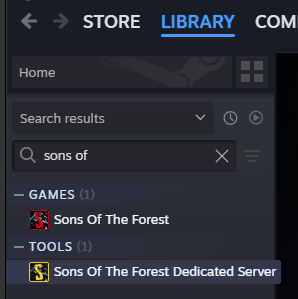
First, we gotta install the "Sons Of The Forest Dedicated Server" tool. Don't worry, it came with your copy of the game (that is unless you have the oldest copy known to man...) Just search for it in your library:
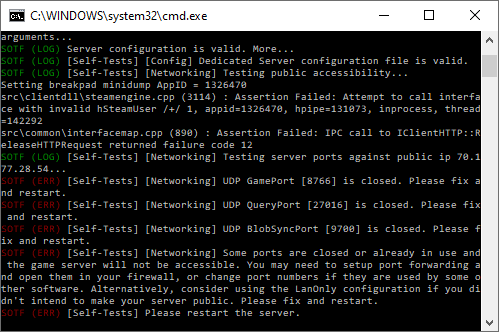
After installing, launch it. You'll probably have to restart it a few times while it installs files and asks for internet permissions. You'll know you're ready for the next step if you get the following messages about ports:
Configuring the Settings
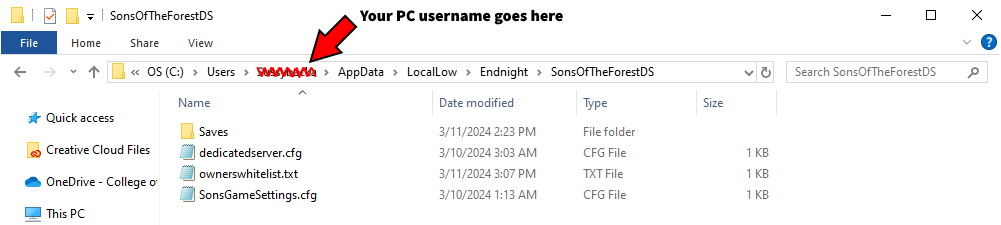
For convenience, and so we don't have to get into port forwarding, we'll set the server to be a LAN server. We're going to head over to where the server installed those previously mentioned files at
C:\Users**(yourPCusername)**\AppData\LocalLow\Endnight\SonsOfTheForestDS:
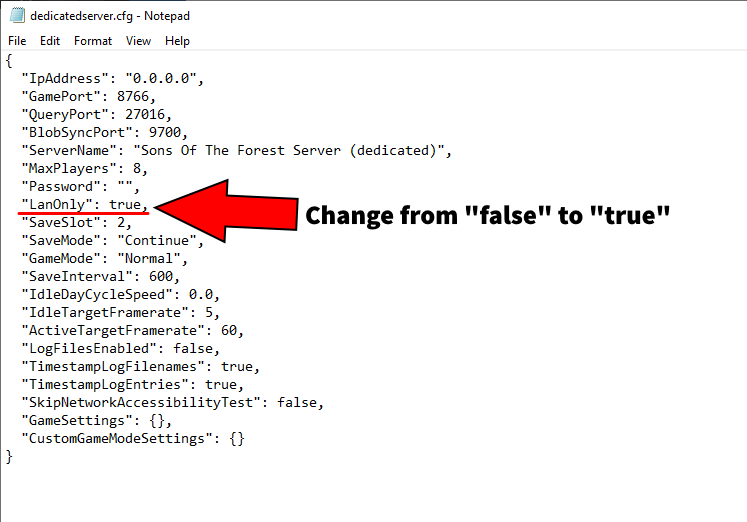
Open the "dedicatedserver" file and change where it says "LanOnly" to ture:
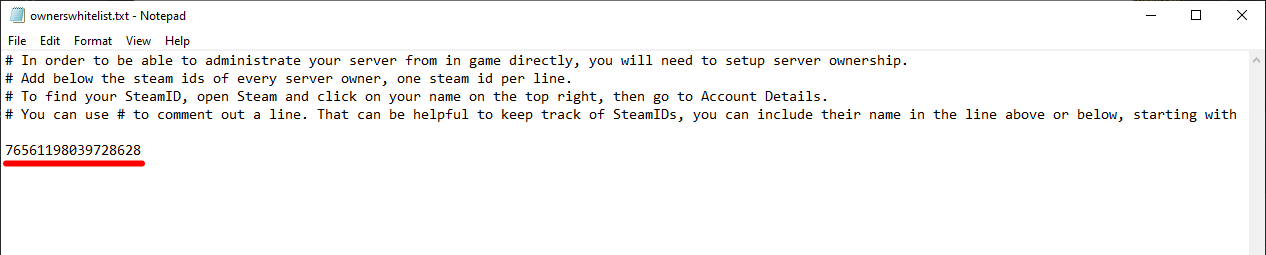
Now that it's set to be a LAN server, we need to edit one last file. In the same folder that the "dedicatedserver" file was in, there's a "ownerswhitelist" file. Open it and add in your steam user ID:
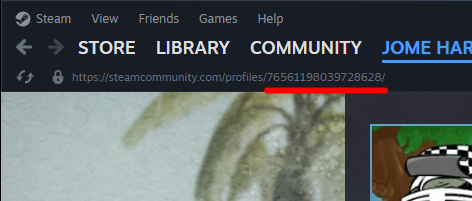
If you don't know what your user ID is, you can find it in the URL of your steam profile (unless you set it to have a custom URL):
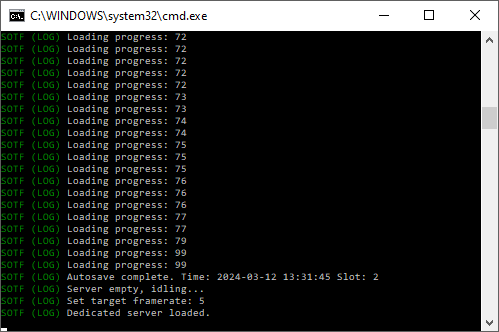
Launching the server again, you should see the message "Dedicated server loaded", which means you're set for the next step:
Joining the Server
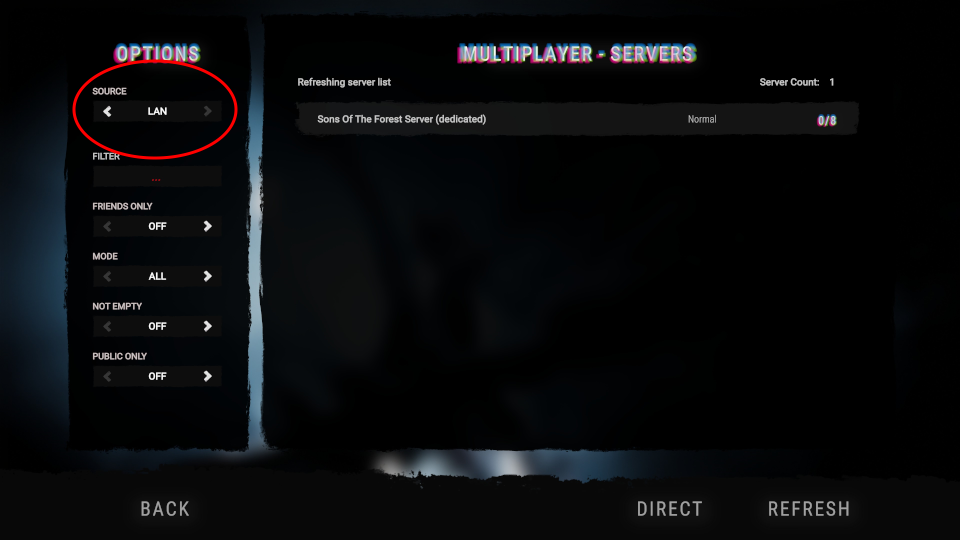
While running the server tool, launch the game and select "join" under "multiplayer". Switch the source over to "LAN" and you should see that your server is the only one:
Go ahead and join it now.
Making Yourself Admin
Boom, easy enough, right? WRONG.
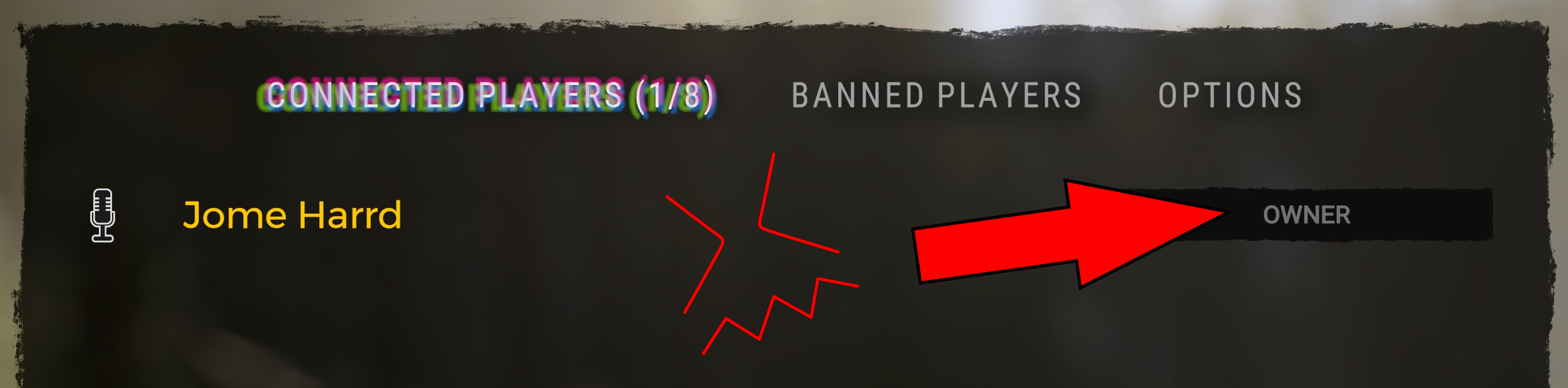
Right now you're an owner, not an admin, it's the same as just hosting a game. What we need to do is close out the game and the server, and then remove your steam ID from the "ownerswhitelist" file. The server will remember that you have privileges but aren't an owner, making you an admin.
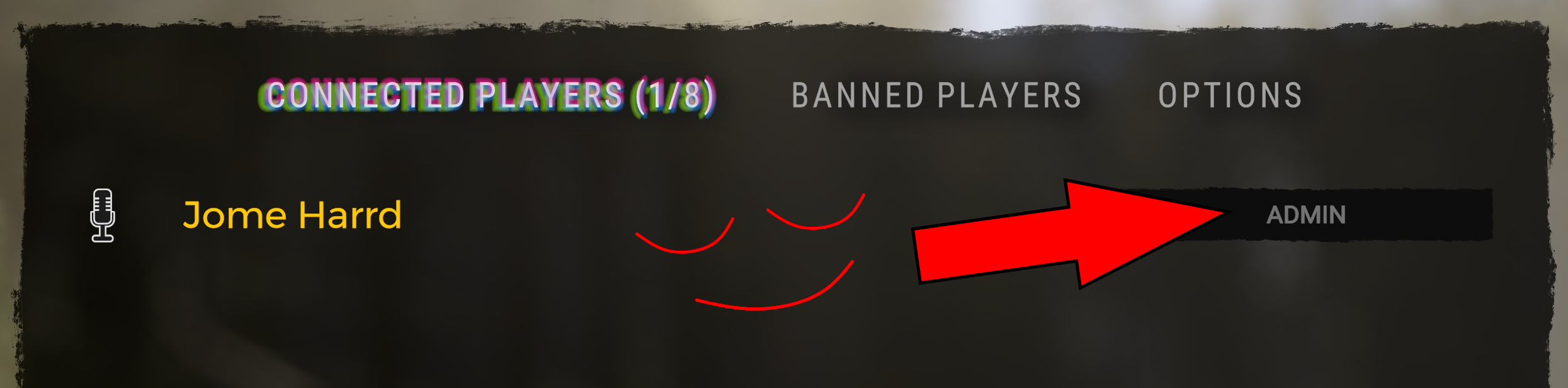
Launch the server again, join it, and bada bing bata boom you're an admin. Which means you should have gotten the achievement the second you joined.
In Conclusion
If you followed the directions correctly (and if I actually explained them right), then you are now a part of the 14 percent, congratulations.
Make sure ya like, comment, and subscribe the video for more give a thumbs up if I helped you out.