 Day One Fixes
SolvedHow-toUpdated
Nostalgic Camera Settings for Skate.
Short answer
Camera settings to make the game feel more like skate 1 - 2 - 3
Steam Community guide by lulcuhpewter.
[ Camera Settings. ]
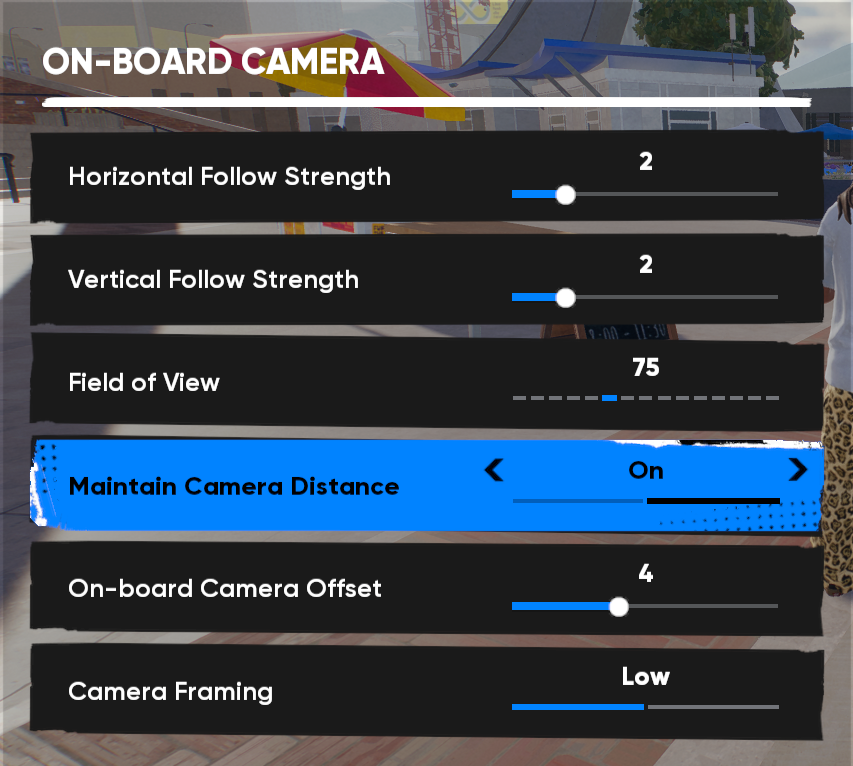
- These are the best settings ive found that fit with the older style of games.
you could mess with the fov to your liking, i prefer 75 it feels more natural. Same thing with the low camera, high works perfectly the same and feels more like skate 3. - Also you could turn off maintain camera distance if u play low cam, and just up fov. it dosnt bother me but its a suggestion if it feels off.
- You dont really need to mess with any other camera settings. All the other ones are more a preference thing, just mess around with them as u like.
[ Gameplay Settings ]
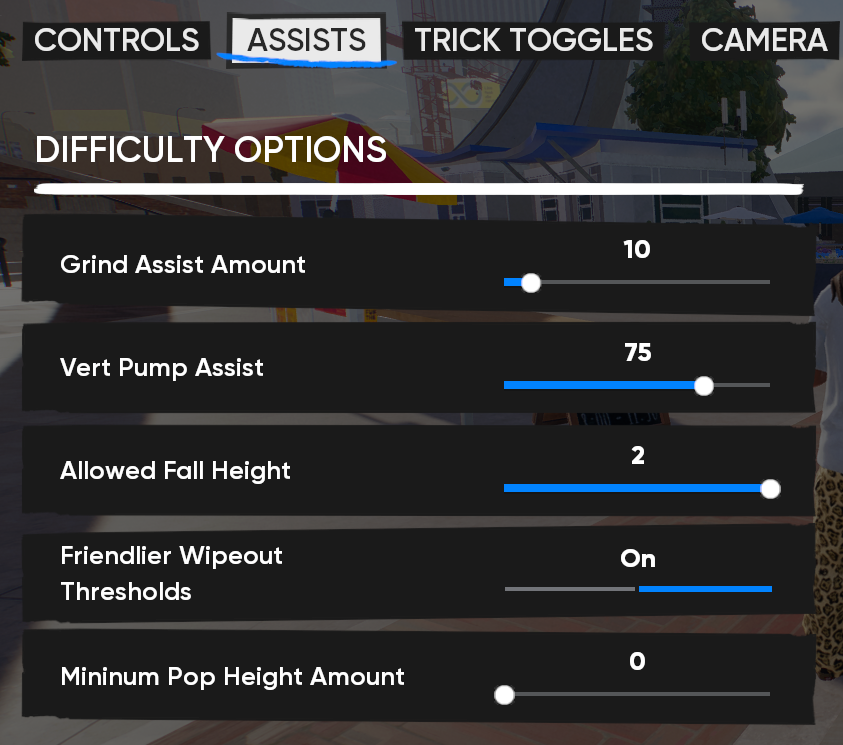
- **These settings are for a more "realistic" type of skating, if u prefer the simpler like basic stuff, grinding and simple tricks. turning down the grind Assist to 0 or 10 if u want to avoid feeling like a magnet to objects. **
- Nothing else really needs changed. But like i said before just mess around with what your prefer and your preferences!. All the other stuff ive noticed Isnt as bad and doesn't mess with anything much.
[ Enjoy Skating ]
- **Video to see how the camera settings look! **
- Now u can enjoy the feeling of the older games in this facebook meta looking ahh world..
- give some awards if u liked this guide! :steamhappy:
