 Day One Fixes
Known issueFixUpdated
Phantom Blade Zero - Best Settings Guide Stutters, Shader Cache, Denuvo, Performance Fix
Short answer
Players report frequent stutters, 3-second freezes, and infinite shader recompilation on launch. Letting shaders compile fully without clicking out or disabling ray/path tracing can help.
Phantom Blade Zero Best Settings for FPS and Graphics
Quick Answer: Super Resolution and DLSS Settings
Super resolution method, DLSS. Frame gen, two times. And we're actually going to keep this off because the game struggles with maintaining high FPS with either ray tracing or path tracing.
How to Remap Controls in Phantom Blade Zero
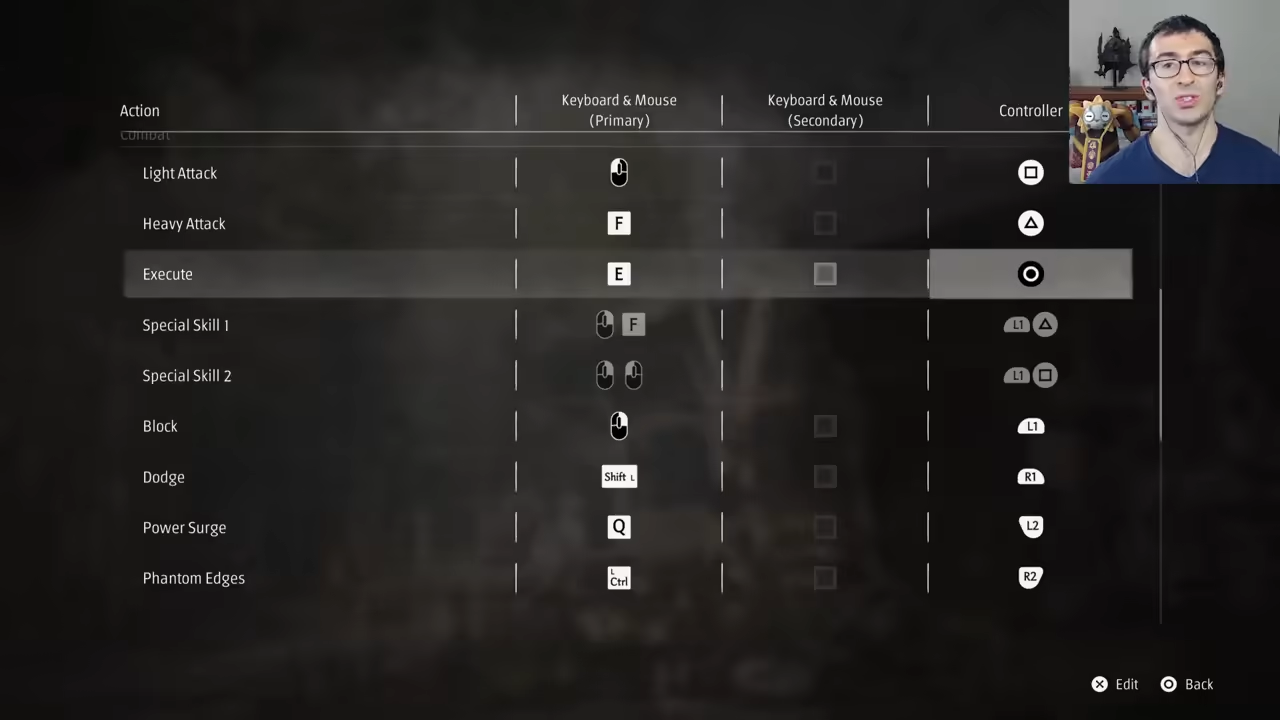
So, hit settings and go to controls, the second tab. So, go all the way down to custom one and go all the way down until you see dodge, which is R1 by default, and circle is execute. So, hit edit and we're going to put that on circle.
So, hit X or A on Xbox to edit that and do R1. Now, we're going to go up to sprint and we're going to put that on L3, which is now conflicting with crouch. So, we're going to put that on the share button, which I know this sounds a little odd, but it's an action game.
And then as you can see now R1 fixed itself and is for execute. So, circle is now dodge, execute is R1. If you go up, sprint is L3, the share button is crouch.
So, you have to hold that to sprint, but it's not that big of a deal because when you unlock a skill pretty soon to the game, when you hold L3 you do a massive sprint, so you get really fast and it's not too much of a deal holding down L3.
Best Display Settings for Clear Gameplay in Phantom Blade Zero
It should be on borderless full screen because I have less problems when I do borderless, so go ahead and do that. But go all the way down and what want to do is turn motion blur all the way to off unless you like blur, but let's do that to off, and then sharpness. I did 15 for that, so you're already going to make the image look better and sharper.
Film grain intensity, bring that all the way down to zero, so it's going to have a more clear image.
Optimal Graphics and Upscaling Settings for Phantom Blade Zero
DLSS super resolution mode, quality. If you experience stutters, you can set that to balance, but try quality first. Dynamic resolution quality, off, since this lowers the resolution.
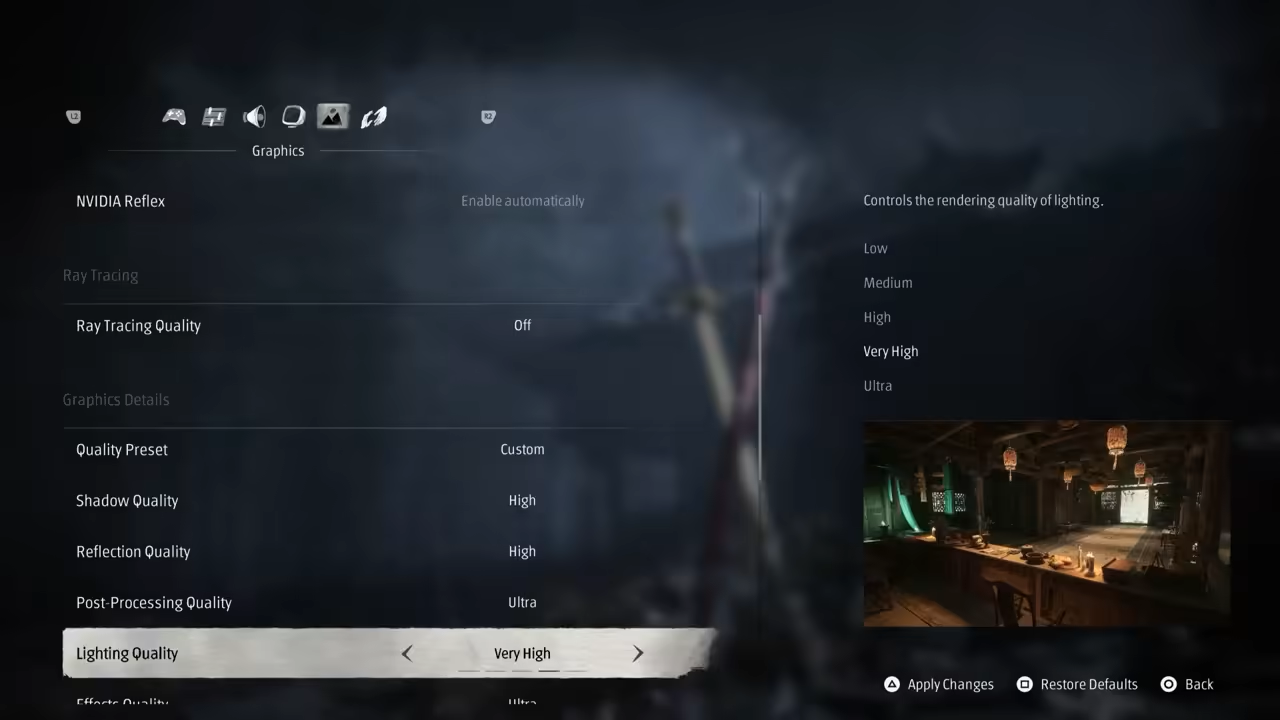
Super resolution output scale, set that to 100% cuz any less will make the visuals a little softer. Nvidia Reflex, it's just enabled automatically. If you want a noticeable amount of more frames, keep both ray tracing and path tracing off.
Now, if you have a high-end PC, I recommend path tracing for a much bigger visual difference, but if you have noticeable FPS drops, I would keep that off. And just keep that on custom.
Top Quality Settings for Maximum FPS in Phantom Blade Zero
Shadow quality, high. Don't go to ultra, which costs a lot more performance. Reflection quality, high.
Post-processing quality, ultra, since this has very little performance impact. Lighting quality, high, but not higher because this is the most performance-heavy setting in the game, so don't set this to medium or low because that introduces a lot of noise. Effects quality, high, since effects are more noticeable here, but don't go to ultra because of a 7-8 frame drop.
Material quality, high. Ambient occlusion quality, ultra, since it doesn't affect performance in this game. Depth of field quality, ultra, since this only affects cutscenes.
Anti-aliasing, keep that on ultra. View distance, high. There aren't many visual differences, but ultra costs more frames, so set this to high.
Character texture quality, very high. Character model quality, ultra, since this doesn't affect performance. High quality hair, off, since this affects your gameplay, not just cinematics, despite the description here, but comes with a huge performance impact.
Environment texture quality, very high. Environment model quality, ultra, since this doesn't affect performance. Environment detail quality, high.
How to Fix Phantom Blade Zero Stuck Compiling Shaders
Quick Answer: Let Shader Compilation Reach 100%
Now launch Phantom Blade Zero and leave it on the compiling screen without clicking out of the window and wait for the compile to reach 100%. This can take anywhere from 15 minutes to an hour. Once you get to the main menu, close the game and launch it again and it should go straight to the menu.
Fix 1: Clear the Shader Cache for Phantom Blade Zero
Make sure that Phantom Blade Zero is fully closed, then go down to the search at the bottom and type Disk Cleanup. Open up Disk Cleanup. If it asks for a drive, select C and click OK.
Uncheck every box in the list, then tick only DirectX Shader Cache. Click OK, then Delete Files. Wait for that to finish.
Fix 2: Verify Phantom Blade Zero Game Files on Steam
If the game is still compiling shaders every time you start it, open up Steam and select Library. Right-click Phantom Blade Zero and click on Properties. Select Installed Wait for Steam to finish.
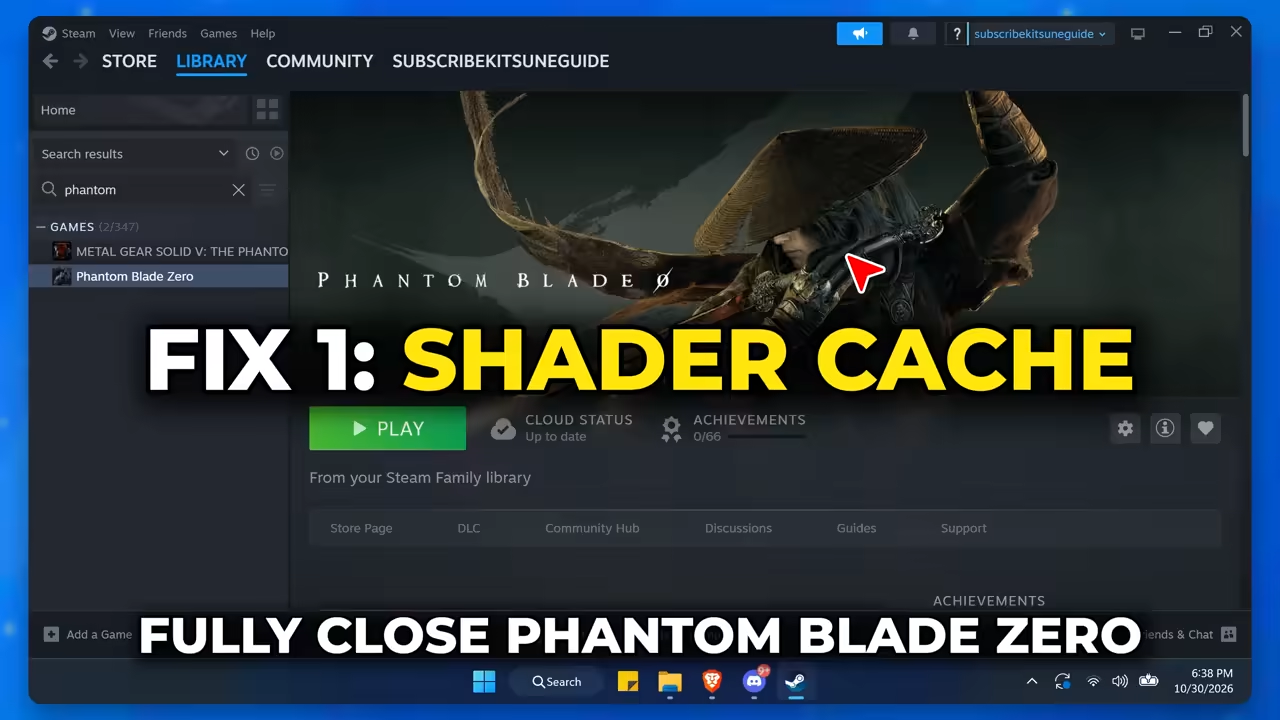
It can take a few minutes here. Once it's done, click Play and let the compile finish. Once you do that, close out of the game and launch it again and it should load straight to the main menu.
Fix 3: Update or Reinstall Graphics Drivers for Phantom Blade Zero
If it's still compiling every launch or getting stuck, open a browser and head to the NVIDIA driver page. Download driver version 617. 42.
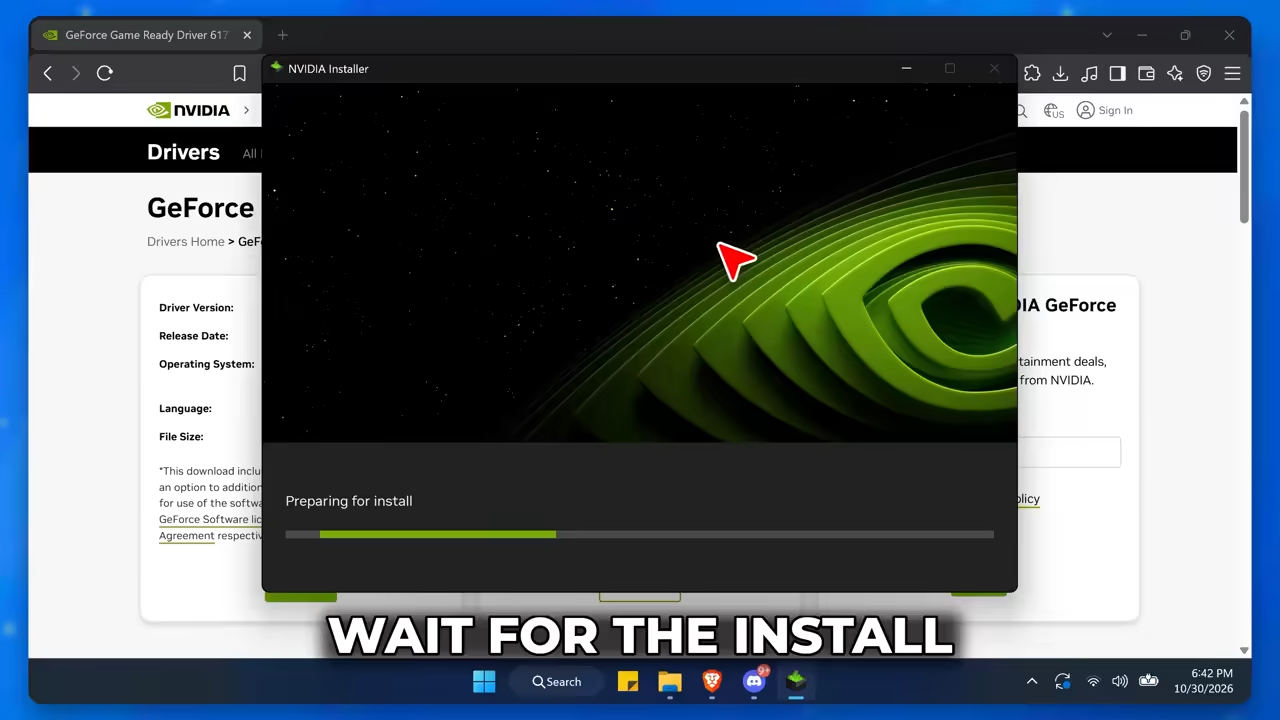
If you're on AMD, download the latest Adrenalin driver instead. Make sure that Phantom Blade Zero and Steam are fully closed. Download in the bottom left and run the installer.
Hit yes on the popup, then click OK. Click on Agree and Continue. Then for the installation options, click on Custom and hit Next.
And in the bottom left, check the box next to Perform a Clean Installation. Click Next. If you're on AMD, tick Factory Reset instead.
Wait for the install to finish, your screen might flicker a few times, but once it's done, restart your PC, launch the game, and let the compile finish, and you should now be able to start the game, and get past the compiling, and straight in without waiting on shaders every time.
Why Phantom Blade Zero Stutters on High-End PCs
Stuttering Issue Details for Phantom Blade Zero
I'm using NVIDIA driver 617.42, an RTX 5070 Ti, 32 GB of DDR4 RAM, and an Intel i5-14600K. Phantom Blade Zero constantly stutters. The first location runs relatively well, although there are a few minor issues. However, the second location, the Crimson Forest, stutters much more frequently. The stuttering happens at specific moments. For example, when I enter a new area, I experience a stutter. Sometimes, it feels as if there's an invisible line that triggers a stutter whenever I cross it. The game freezes for about half a second to a second while I'm exploring the world. It also happens during certain fights, although that's much less common. I've tried different graphics settings, but I don't know whether the issue is related to frame generation or shader compilation. Honestly, I'm not sure how to diagnose it. I'm currently using a 180 Hz monitor. With 2x or 3x frame generation enabled, I get around 200 FPS. DLSS is set to Quality, and I'm playing at 1440p. Has anyone actually managed to fix this issue? I've seen quite a few discussions about it. Some people are trying to lower their controller's polling rate. I use a DualSense controller connected via USB, and I don't think it has the same advanced polling rate settings as some GameSir controllers. Some players say that updating to the NVIDIA 621.12 Hotfix driver helped them. However, I'm honestly a little hesitant to install it because I've read reports of people still experiencing black screens and similar issues even after updating. I've read through a lot of discussions, but there aren't that many of them, and I can't figure out how widespread this problem actually is. From what I've seen, players using both Radeon and NVIDIA GPUs are affected, including the RTX 4060, RTX 5070 Ti, RTX 5080, and even the RTX 5090. It also seems to happen regardless of the CPU. Some people have X3D processors, while others use the same 14th-generation i5 as I do, or 13th- and 14th-generation i7 processors. I honestly don't…
ĢᎯȡ£ηℐȿዙ777(•̪●, original post
Community Suggestions for Reducing Stutter in Phantom Blade Zero
The Answer is Unreal Engine 5. This Engine is the biggest ♥♥♥♥ under the Sun. Stutters in 99 percent of the Games who use this ♥♥♥♥ of an Engine !
Annihilator-DE
yeah the first area was stutter free for me using RTSS. unfortunately all other areas behave the way you have described.
Madman Asunder
It seems to depend on your hardware because reviewers swore it ran smoothly. I'm on a RTX 4090, i7-12700F and 32GB Ram. I'm getting frequent stuttering on the newest drivers and the old drivers didn't seem to help at all.
Egamer
7800x3d and 4080 super i had to turn off raytracing stop the stuttering
GamerNamedDrac
Just FYI - 5080 | 9850X3D | 32GB RAM Drivers 617.42 vs 621.12, only difference was about 5-10 fps and ~5 latency. Both have stutters in combat with maxed out graphics and quality DLSS.
Darkhearts
I really hope the developers of this game will look into these issues. Unfortunately, there aren't that many discussions about them, and perhaps not everyone is speaking up. However, the problem seems to affect a wide range of systems and different driver versions. Honestly, I don't want to download various utilities from Nexus Mods either. I've tried a few, and some of them significantly degrade the game's image quality. It's a shame because I really love this game, but issues like these seriously affect the overall experience. As I've mentioned before, the FPS itself is stable in many areas, especially in the first location. However, once you reach the second location, the Crimson Forest, the microstuttering becomes much more noticeable. I'm going to test different graphics settings again. For example, I disabled the highest hair quality setting. Of course, this didn't reduce the stuttering, but it did improve performance by around 10 FPS. However, performance still varies significantly depending on the location. I honestly don't understand what's causing this. It almost feels as if there are certain zones where the game stops loading the area you've just left. Let me give you an example. I'm getting 70 FPS in one area. I walk just five to ten metres into another area, and suddenly I'm getting 100 FPS. Even when I turn the camera back towards the previous area, I still get 100 FPS. But when I return to the previous area, the FPS suddenly drops again. I really can't figure out exactly what's causing this. I also noticed an interesting bug, although unfortunately, I can't attach a video. I found a relatively unknown streamer who experienced exactly the same issue. Perhaps some of you have encountered this as well. In the first location, there's a bridge. When you go underneath it to collect something, try turning the camera around. If you look carefully, you can actually watch the lighting change in real time, right before your eyes. The scene transitions from a…
ĢᎯȡ£ηℐȿዙ777(•̪●
HWRT and PT are way too CPU heavy in UE5, or rather bottlenecked by a single thread. It's the same in Black Myth Wukong, Cronos New Dawn, Hogwarts Legacy, Gears of War E-Day and all other HWRT lumen games. Turning off RT/PT reduced my stutters a lot. Using a 5080/13700K/64GB DDR5 at 6000MT
DeadMatin
Yes, you're right about that. Before this, I was using driver version 610. I don't remember the exact version number, but I remember that it was released on August 26. I saw that driver 621 had been released, but then I came across a message from the developers recommending that players switch to 617.42 instead, so that's what I did. However, I haven't noticed any difference between 610 and 617.42 in terms of FPS or stuttering. At the beginning of the game, particularly during the tutorial, everything runs quite smoothly without any noticeable stutters. The first few locations are also mostly fine, although there was one particularly noticeable incident. It happened right after you fall off the cart and approach the girl who later gives you the herb-gathering quest. The game froze for around three to four seconds. After that, everything seemed to run normally again. Perhaps that was related to the enhanced hair quality setting. I disabled it, and I haven't noticed the same issue in subsequent cutscenes. However, I did experience microstutters fairly often during cutscenes, particularly when transitioning between a cutscene and regular gameplay. I'll try disabling path tracing and see what happens. I had a somewhat similar experience with Pragmata. However, in that game, it didn't happen during gameplay itself. Instead, there was a brief microstutter lasting around 0.5–1 second when a cutscene started. There were no issues when the scene changed abruptly within the cutscene itself, though. Just
ĢᎯȡ£ηℐȿዙ777(•̪●
I used Apply Recommended Graphics Preset, then I turned on path tracing and set frame gen to auto. Performance seems alot better now but I’m not certain what changed. I think Super Resolution Output Scale being set to Auto helped but I’m not sure if it was set to something else before.
Egamer
I tried setting it to Auto, but it immediately set the resolution scale to 75%, and the game looked absolutely terrible. However, I was testing this on an older driver. Tomorrow, I'll test everything again, but once again, the problem isn't FPS. It's the microstutters that occur at certain moments, including in the exact same situations other people are experiencing them. The cause could be anything, but everyone seems to be suggesting different solutions. Anyway, thank you so much for your reply and for sharing your experience! I'll test everything tomorrow and report back with my findings, if I manage to figure anything out.
ĢᎯȡ£ηℐȿዙ777(•̪●
Is Denuvo Still a Problem in Phantom Blade Zero?
Denuvo Issue Details in Phantom Blade Zero
As denuvo got cracked now.
Apeek7, original post
denuvo is +-3%.
Grr. SG CMD Majah Lazah
Why should i need that additional overhead?
Apeek7
How to Remove Denuvo From Phantom Blade Zero
Can s game finally remove denuvo. So us people who paid for the game can get free performance uplift?
Apeek7, original post
Every percentage matters for unreal engine 5 game.
Apeek7
It can be 6 fps or zero. I don't need that additional overhead.
Apeek7
the big improvement is just SCSKiller since stutter is mainly about loading and compiling shader on the run, SCSKiller removed a lot of those issues
Pencillus Sedatus
Why Performance Drops Occur in Phantom Blade Zero
The game performs as well as it does because of heavy occlusion, using top down viewport framing on multi combatant non boss fights and extremely truncated draw distance and shadow mapping for LoD0 objects, and using primarily static GI and simply transitioning it when traveling through heavily occluded areas to create "weather" through color grading and a dynamically animated skybox.
Grr. SG CMD Majah Lazah
Did they give you the game for free? how bout u be productive and give 1 alternative solution they can use against piracy? and before u start the whole "oh but its bypassed now" debate every anti piracy gets bypassed eventually doesnt mean u cant make it harder on them to pirate ur game
Melody
Performance Impact of Denuvo on Phantom Blade Zero
Given the draw and shadow distance, this is factually false. You getting 6 more fps isn't going to change anything on a game based on 100-400ms combat contacts.
Grr. SG CMD Majah Lazah
Let's assume that's true, you're happy to get -3% performances?
Mu'Ammar of Carthus
Let's assume that's true, you're happy to get -3% performances?
Melody
Why Shaders Recompile Every Launch in Phantom Blade Zero
Shader Recompilation Problem Details for Phantom Blade Zero
My game currently keeps recompiling shaders from scratch each time I launch (yes the full 20+ min 🙄). I checked and the shader cache is not being saved in any of the locations: - ProjectPBZ/Saved Folder (only retains a single 9KB file that updates timestamp after quitting but not size) - Steams Shadercache folder (no changes here since install) - WIndows Direct X shader cache (no meaningful changes during compilation) - Intel driver shader Cache (no size or file changes during compilation) I`m using CPU: AMD Ryzen 5 5600 • RAM: 24 GB • GPU: Intel Arc A750 • GPU driver: Updated today • OS: Windows 11 Maybe this helps fix this over time and maybe someone else experiences this and can find commonalities like same GPU.
Badyuyu, original post
Everything ran so perfectly but noooo this game for some reason compiling shadders for +20 min for no reason and then it stops at 77% an bam cant even start a freaking game.....
Purpleetea
Launch Option to Disable Ray Tracing for Shader Fixes
Found a fix for the shader compilation issue on every launch! Steam → Library → Phantom Blade Zero → Properties → General → Launch Options Add:
-noraytracingWorked for me on my Intel Arc B580. Trade-off: Ray tracing will be disabled.PrinceMad
Denuvo Concerns and DRM Issues in Phantom Blade Zero
Denuvo Problem Description From Users
38 voices did it again, please remove this crap DRM and let legit buyers enjoy the game without any malware.
kevinj93, original post
Community Opinions on Denuvo in Phantom Blade Zero
Denuvo isn't malware, bro.
Spoon
No, it's just pointless anti-consumer software when the game is being pirated anyway.
Crusader765
Then why it does slow down games? I know some games are affected less than others, but still! If the protection has been cr*cked, what's the point in keeping it?
kevinj93
Then why it does slow down games? I know some games are affected less than others, but still! If the protection has been cr*cked, what's the point in keeping it? It doesn't slow down games. Publishers use it to try and prevent piracy since, you know, they want you to actually BUY the game so they can keep making MORE games.
Spoon
No, it's just pointless anti-consumer software when the game is being pirated anyway. Would you want people obtaining your products for free if you owned a business?
Spoon
Cry harder Ma'am.
lilf
I despise these brown nosers and shills. It's so bizarre. This company isn't gon take it out but S-GAME Studio do prove me wrong. The buyers will always get the worst product. The @ss kissers will always defend their god, denuvo.
dREV
Would you want people obtaining your products for free if you owned a business? Try to keep up skippy. People are downloading and playing the game for free now. And were already with the less desirable bypass method.
Crusader765
Try to keep up skippy. People are downloading and playing the game for free now. And were already with the less desirable bypass method. Good for them. I'll stick to supporting the games I want to play, not being a free-loader.
Spoon
Malware? Why do people make stupid ♥♥♥♥ up constantly just to try and justify their unhinged knee jerk reddimotions. DRM isn't "malware". Stop making stuff up to be mad about ffs
Garrington
Are Developers Ignoring Stutter Issues in Phantom Blade Zero?
Stutter and Freeze Problems on RTX 5080 and High-End Systems
RTX5080+7800x3D+64Gb RAM I tried: turning off PT+RT, Turning off Framegen, Turning on framerate limiter, SCSKiller. i still get sometimes up to 3 second freezes.
Romi, original post
I have a 4080s, 9800x3d, 32 gb ram and once I bit the bullet and turned of ray tracing I am 99.9% stutter free. Think what you will I thought it was traversal stutter but once I turned of ray tracing it went away aside from a half second of micro stutters when transitioning into a cutscene on occasion
RatherRowdyPooper
Suggested Fix: Clear Shader Cache for Stutter Issues
nah i use AMD CPU too works fine for me i see alto of AMD GPU user issues tho OP try clearing shader cache
Melody
Unreal Engine 5 Causes of Stutter in Phantom Blade Zero
Welcome to UE5 titles. this issue is in 99.99% of UE games.. it's really bad.
C@nG@C@
Don't believe anyone saying the game runs fine and smooth, it's a UE5 titel. The stuttering is a feature at this point with games using this engine.
Venus
Community Discussion on Phantom Blade Zero Settings
User Guide: Best Settings and Mods for Phantom Blade Zero
Sub for more best settings, mod showcases, and guides for this and GTA 6 😄 UPDATE: Put your sprint on circle as well, it won't show red and conflict since sprint and dodge can work on the same button in this game, so no need to hold L3 to sprint. ALSO you can also put Path Tracing on for high end PC's and still get around 140 FPS which is what I'm getting and decided to use
AdamHartGaming
Finally I can enjoy this game. Thanks man
Svlimfans
You can bind sprint to your dodge button and not bind LS to anything, sprinting will actually be a single LS click no holding needed
EvoYoshi1UP
I have a 5080 and even when I set everything to minimum or ultra with path tracing Im still getting stutters (in certain areas). I hope they release a patch soon to improve things.
Rimuruu
I basically moved all the buttons to Sekiro( playstation) R1 and R2 are light and strong attacks O is dodge. L1 is parry. L2 special move. Run is X.
NicknLex
i have a 2560x1440 monitor but my resolution is fixed at 1920x1080 does any pne know how to change that?
korengo-qn6nt
why now the game not read the share bottom for the croutch?
gabrielegatti260
I am facing constant stutters even when slightly moving my screen at all settings , from low to ultra , tried everything and nothing is working
Iblamepratyuz
wish i did this right away, now I am used to weird default
thegamerscafe5717
fg is okay with this game? no input lag i havr rtx 4060 so I'm just wondering
haidarsafaa2057
What if I am on an Xbox controller and I don't have the pad button? So like my share buttons conflict
Bineyy-j6s
Hey man i copied ur exact settings but the hair texture look rlly weird and blurry idk what to do tbh
Seniorkennedy
do not put dodge on circle how it plays is perfect
Buniimental
User Feedback: Fixing Shader Compilation in Phantom Blade Zero
Thank you for the tips! Game loads up much faster now.
epidemic006
Still issues? Please comment the error message or describe what's happening and I'll try my best to help. Fixed? Subscribing is a free way to say thanks and genuinely helps the channel, but it's completely up to you!
kitsuneguide
25 minutes to an hour. Might need that refund
malikgod
Did this work for you?
Related topics: performance fixes